In order to enter body fat percentages, please do the following:
-------------------
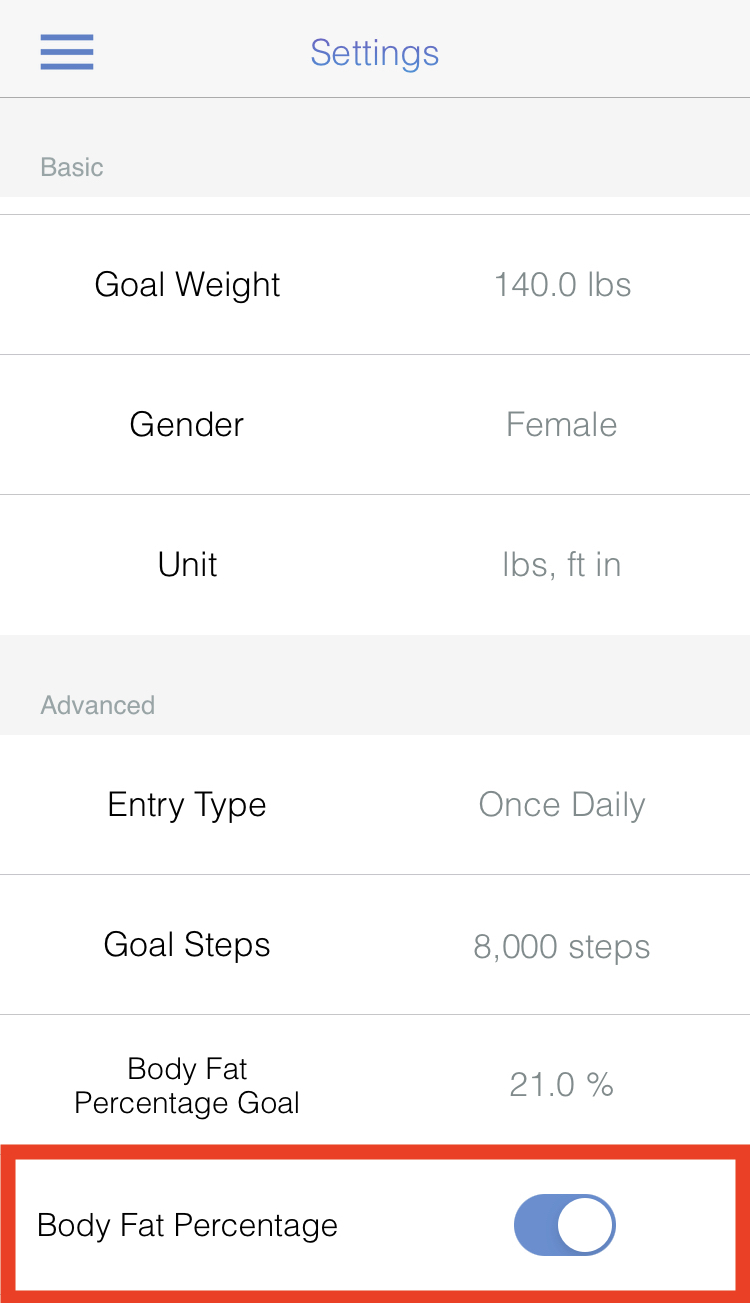
1. Go to the Settings page
2. Enable “Body Fat Percentage” by tapping the switch button
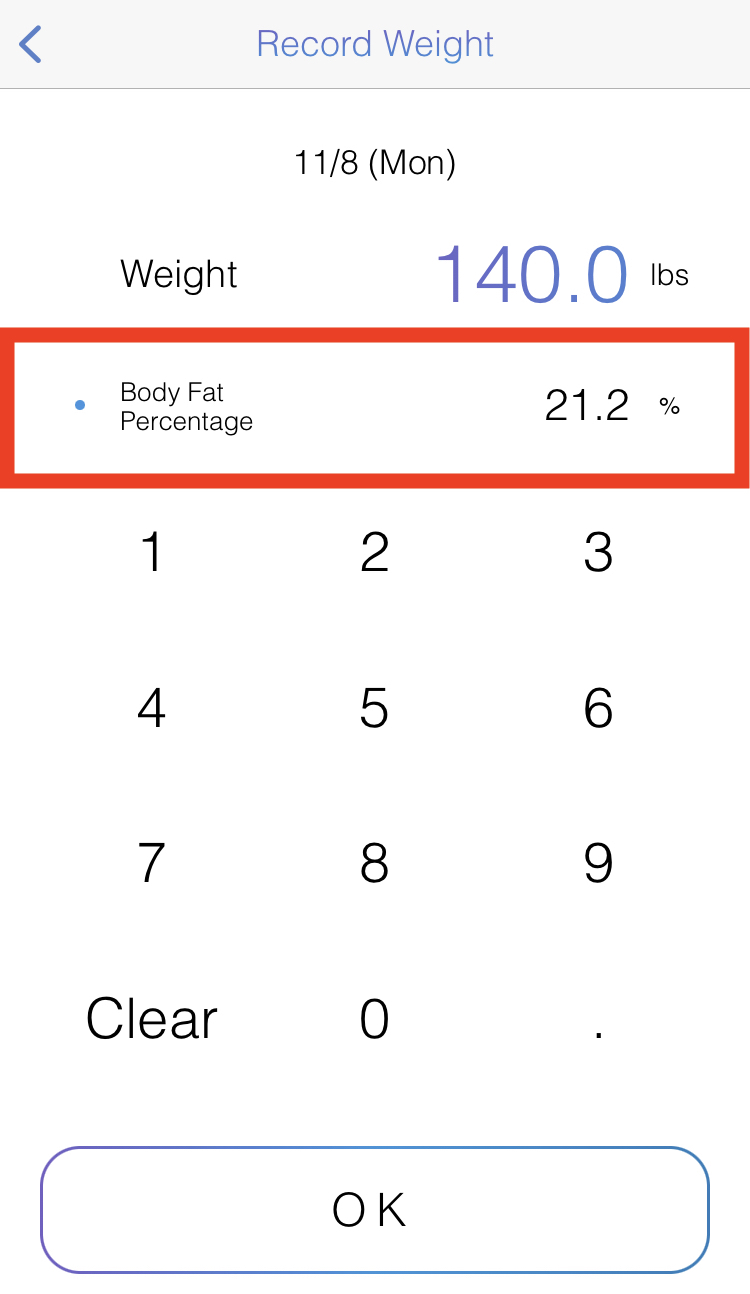
3. Go to the Record page and enter your Weight, then tap on “Body Fat Percentage”, and then enter your body fat percentage
4. Tap the OK button
5. Now you can see your body fat percentage on the Calendar page or Graph Page, etc.
-------------------
-------------------
1. Go to the Settings page
2. Enable “Body Fat Percentage” by tapping the switch button
3. Go to the Record page and enter your Weight, then tap on “Body Fat Percentage”, and then enter your body fat percentage
4. Tap the OK button
5. Now you can see your body fat percentage on the Calendar page or Graph Page, etc.
-------------------