You can change your avatars' skin tone in the app by using either of the following methods:
--------------------
#1:
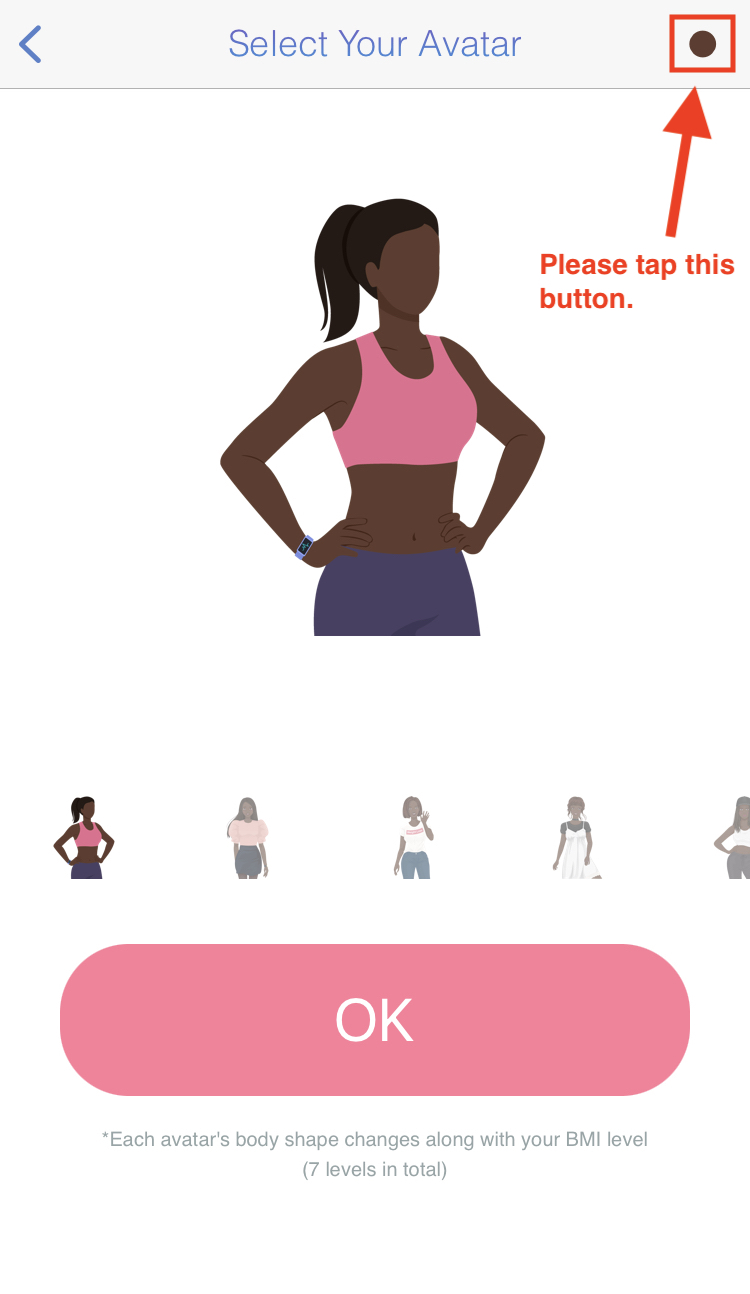
In the Weight Loss app, go to Settings > Avatar then tap the button at the top right-hand corner.
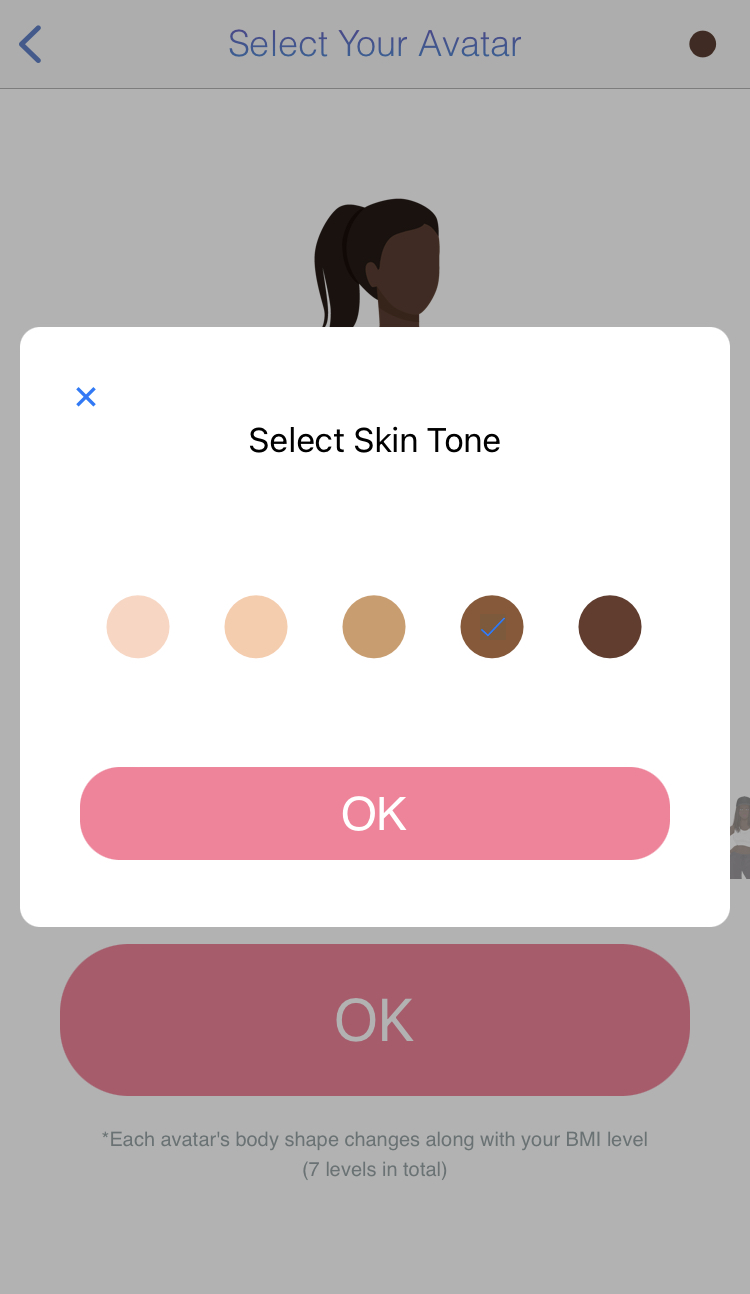
Next, simply select your avatar's desired skin tone and tap the OK button.
#2:
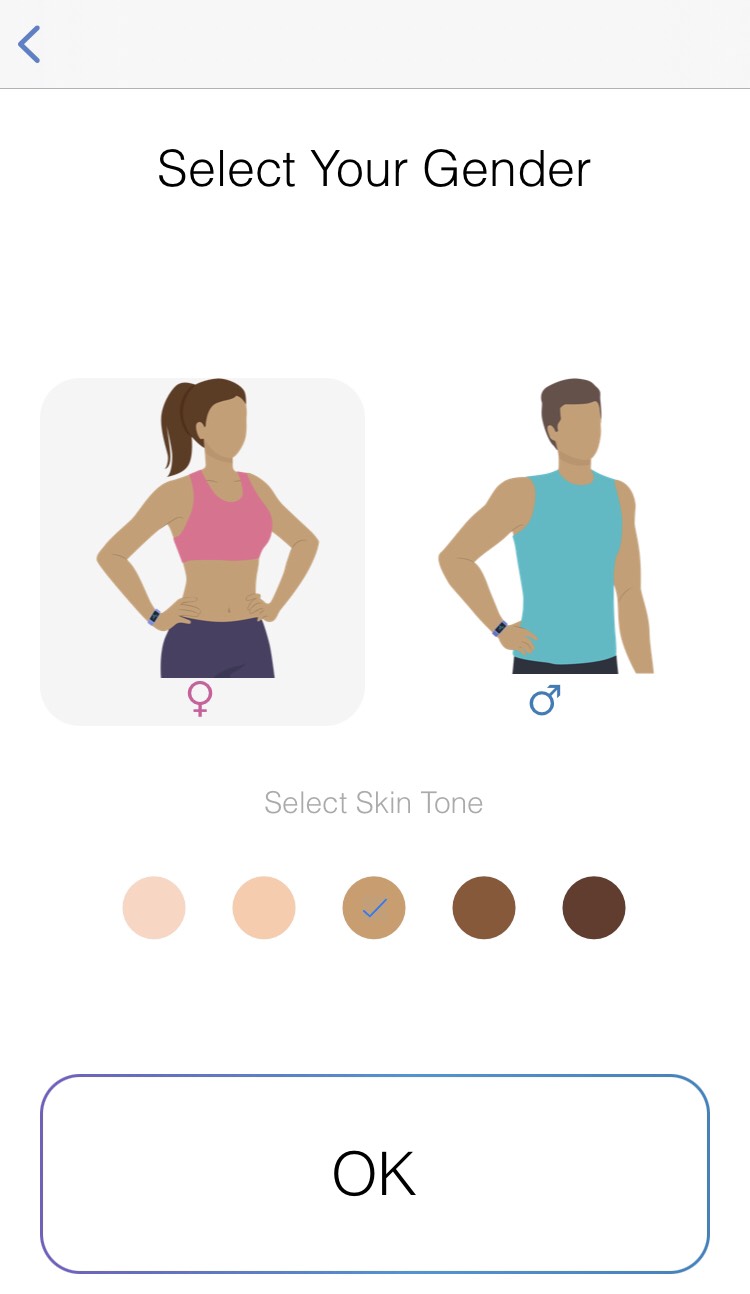
In the Weight Loss app, go to Settings > Gender, then select the desired skin tone and tap the OK button.
--------------------