If you want to delete weight entries that you input in the past, please do the following:
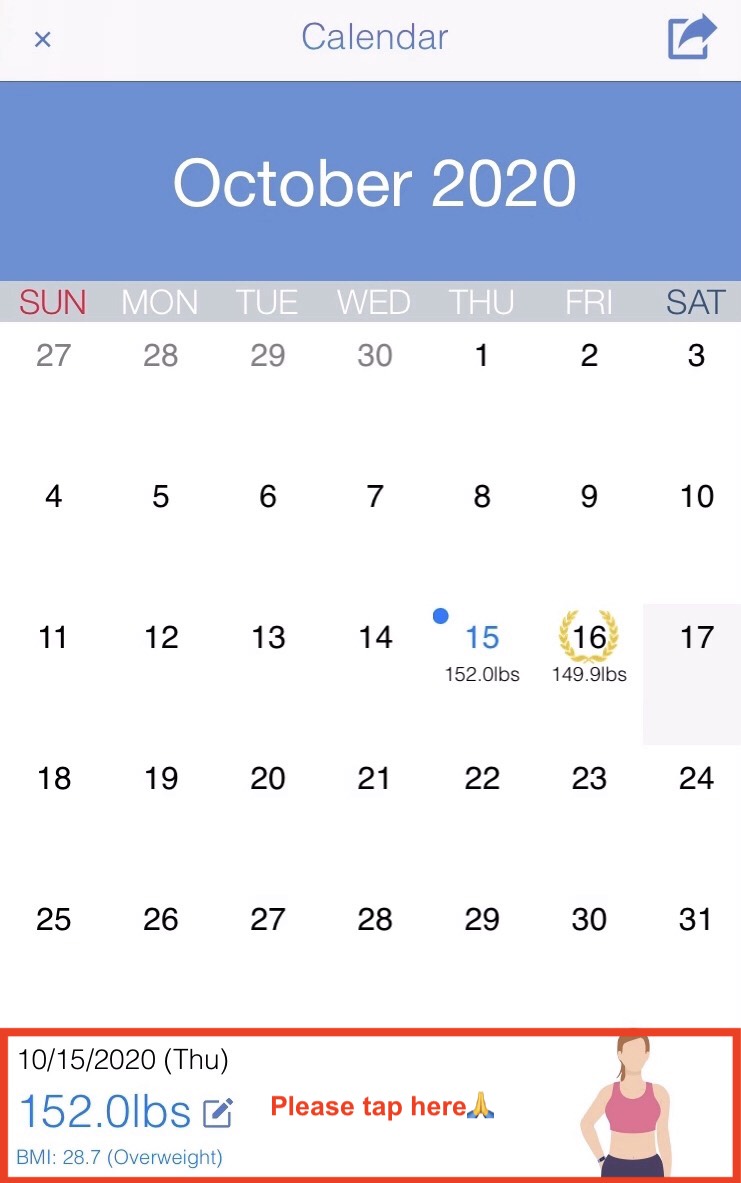
#1. Please tap the specific date that you would like to adjust in the calendar, and tap the area surrounded by a red frame (like in the image below).
#2. Then, after the Calculator page appears, delete the weight/body fats entries by tapping the "clear" button and then tapping the "ok" button.